Keeping track of business expenses is essential to having a successful professional life. It is important to keep b business expenses apart from private expenses. Our Business Expenses free MS Excel template helps you to do just that.
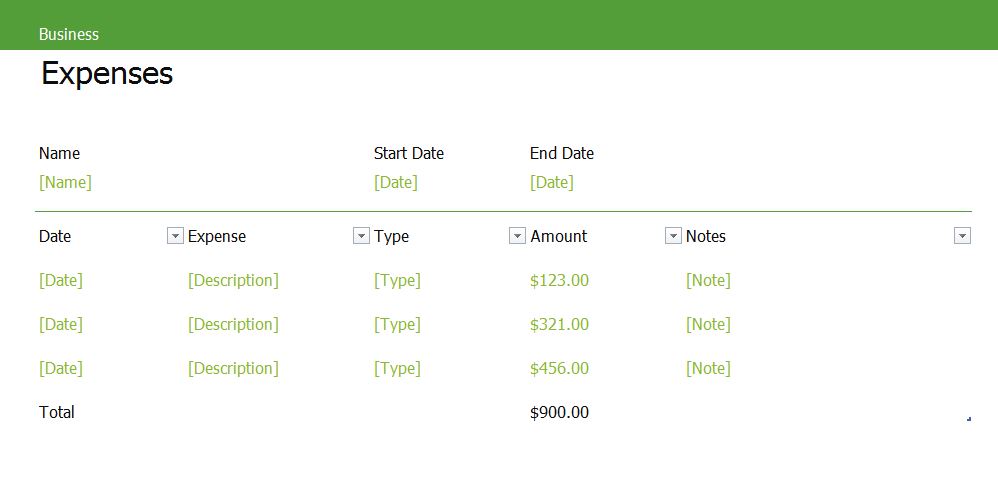
It has a minimalistic visual representation and can be easily filled with expense records. Every expense sheet has a Name, Start Date and End Date field where you specify the overall information. Then you have more specific fields like Date, Expense (description), Type, Amount and Notes where you enter specific details about each expense item. You can also easily filter the information by any of the previously entered data. This free Excel template is also 100 percent print ready and just waits for you to click “Print”.
Have a peek at screenshots from the Business Expenses Excel Template:
Download your free Excel template “Business Expenses” here:
- Business Expenses in Office 2013 Excel Document format (xlsx)
- Business Expenses Excel Document in zip file format (zip)
If you like my templates, I’m looking forward to a little donation 🙂
Similar free templates online:
I made a quick search for similar free Excel templates and found some helpful URLs. Hope you find them useful too:

1 thought on “Business Expenses Template”