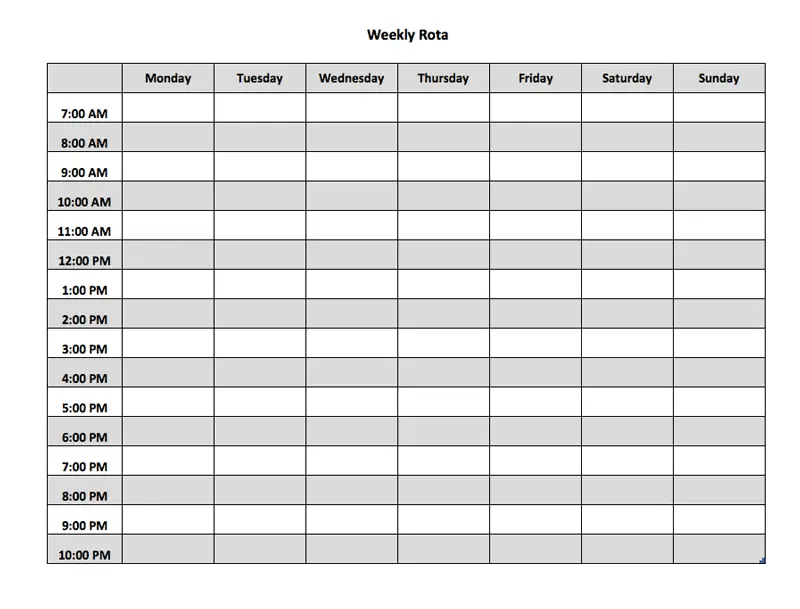
Weekly rota with Excel

You need a little calendar with an overview of your weekly activities or your staff working times? Here we go: I made 2 Excel templates with a weekly rota. One for staff scheduling, one for your private planning. You can write down your goals or to-dos, appointments and so on.

Simplify Staff Scheduling with Our Free Weekly Rota Excel Template (Version 1)

Making sure you have the right people working at the right times is key for any business or team. Getting your team’s schedule right is vital, and our free weekly rota excel template is here to make it simple. This tool helps you plan who works when for the whole week ahead.

Trying to manage staff schedules in your head or on bits of paper can get messy. It’s easy to make mistakes. You might accidentally book two people for the same shift. Or forget to schedule someone entirely. This can lead to problems, confusion, and unhappy staff. It also means your business might not have enough people when it needs them most.

A good weekly rota solves these problems. It’s a clear plan that everyone can see. It shows exactly who is working each day and at what times. This helps everyone know what is expected of them. It brings order to your work week.

Why is using a Rota so helpful for Staff Scheduling?

  • Clear Communication: Everyone on the team can look at the rota. They instantly know their shifts for the week. This cuts down on questions and confusion.
  • Ensures Coverage: You can easily see if you have enough staff scheduled for busy periods. You can also see if you have too many during quiet times. This helps you staff your business efficiently.
  • Avoids Conflicts: A visual rota makes it easier to spot double bookings or clashes with holiday requests. You can fix these issues before the week starts.
  • Saves Time: Creating a schedule from scratch every week takes a lot of time. Our template gives you a structure. You just fill in the details. It makes the scheduling job much faster for managers or owners.
  • Keeps You Organized: All your weekly scheduling information is in one place. It’s easy to update if changes are needed. It’s also easy to share with the team.

While there are complex scheduling systems out there, they can be expensive and difficult to learn. Our free weekly rota excel template offers a simple, affordable solution. It uses Excel, which most people are already familiar with. You don’t need any special training to start using it.

Screenshot of the weekly rota for staff planning

Weekly rota for staff scheduling Excel Template

The template is laid out clearly. It usually has days of the week going across the top. Staff names go down the side. You simply enter the start and end times for each person’s shift in the right boxes. You can add notes for specific tasks or roles too. It gives you a clean, easy-to-read overview of the week’s staffing plan.

This template is perfect for many different places. Small businesses, restaurants, cafes, retail shops, hotels, or even just teams managing projects. Anyone who needs to schedule people on a weekly basis can benefit from it.

You can download our free weekly rota excel template (available in both XLSX and PDF formats for easy use or printing) right here.

Why use a Rota for your personal weekly Planning (Version 2)?

  1. See the Big Picture: It lays out your whole week. You can see projects, tasks, appointments, and personal time all together.
  2. Allocate Time Wisely: You can plan to dedicate specific blocks of time to different projects or categories of tasks. This helps make sure important things get done.
  3. Don’t Forget Anything: By writing down all your to-dos and dates in a scheduled way, it’s much harder for things to fall through the cracks.
  4. Balance Your Life: You can actively schedule time for personal activities, hobbies, or just relaxing. This helps create a healthier balance between work, projects, and personal life.
  5. Feel More in Control: Knowing what you plan to do and when reduces anxiety. It gives you a clear path to follow each day.

Our free template is built in Microsoft Excel. This means it’s easy to use because most people are familiar with Excel basics. You don’t need to learn any new complicated software. Just download the file, open it up, and you’re ready to start planning your week immediately.

The template is designed to be flexible for personal use. It typically has columns for the days of the week. Down the side, you might have rows for different time slots or different categories like “Work Projects,” “Personal Tasks,” “Appointments,” or even specific project names like “Project A” and “Project B.”

You can use it to:

  • Block out time for working on specific projects.
  • Schedule when you’ll tackle your main to-do list items.
  • Write down fixed appointments like meetings or personal dates.
  • Plan time for personal activities like exercising, reading, or family time.

Screenshot of the personal weekly rota with Excel

Weekly rota for personal planning (Excel Template)

Download your 2 Versions of a free weekly Rota Excel Template

Both rotas are in one Excel file (and PDF file), but on two different worksheets.

If you like my templates, I’m looking forward to a little donation πŸ™‚

paypalpixel

Other useful Planner

5 thoughts on “Weekly rota with Excel”

Leave a Comment

Pin It on Pinterest